Quick Select:
Image Upload
0/20,000
Try these examples
Aspect Ratio
Image Resolution

Explore Edits

Discover real AI image edits and find inspiration for your next creation.

Multiple AI modelsChoose the right model for each edit
Up to 5 imagesMulti-image editing and fusion
24 MB per imageJPG, PNG, and WebP supported
Up to 4KHigh-resolution output

AI Image Editor – Edit Picture with Prompt Online Free

Use the AI Image Editor to edit pictures online free with simple text prompts. Choose from ArtDo, Nano Banana, Seedream, and GPT Image models to enhance details, transform styles, remove distractions, combine references, and extend scenes with fast, consistent results. No sign up is needed to start.

AI Image Enhancer Powered by AI Image Editor

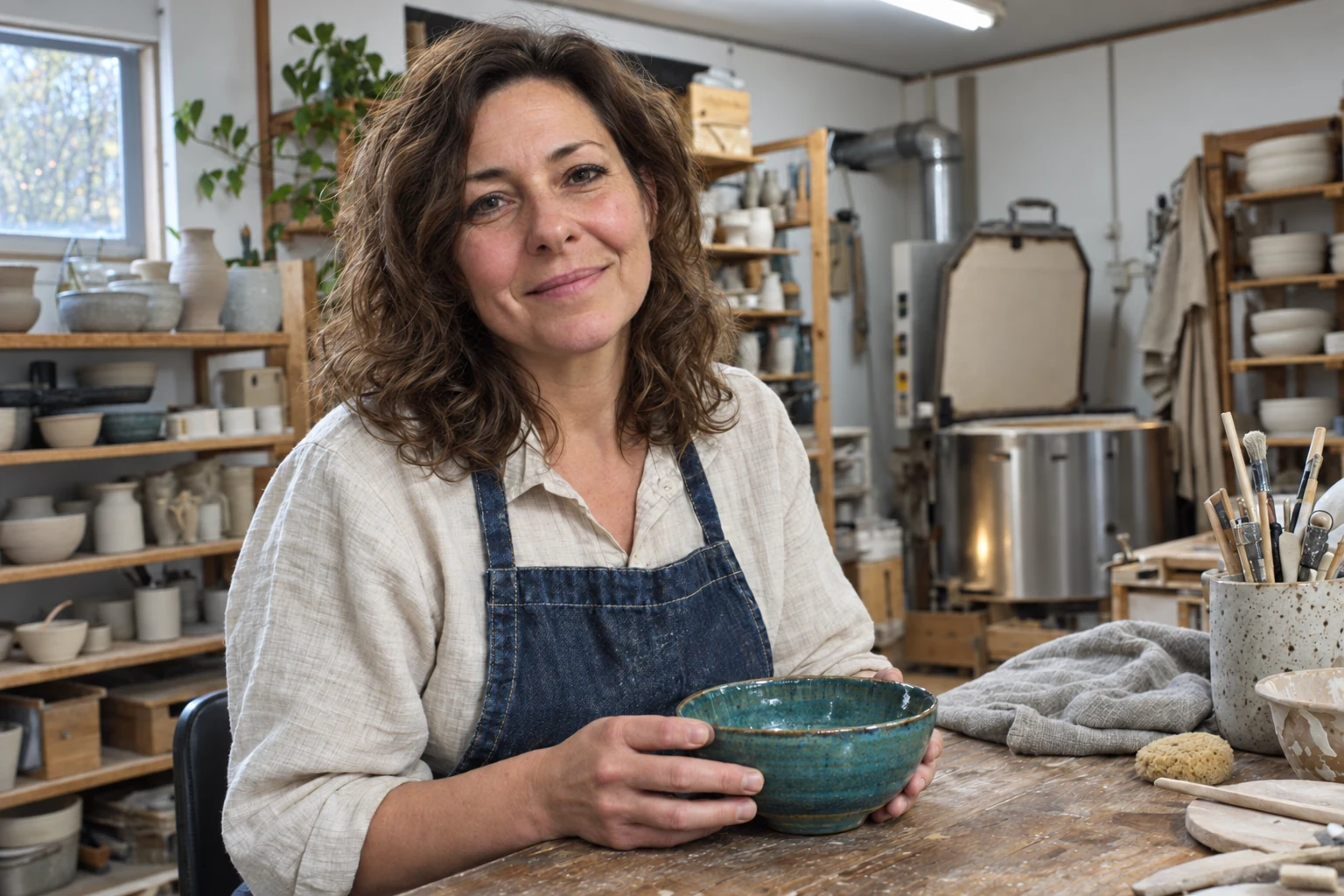
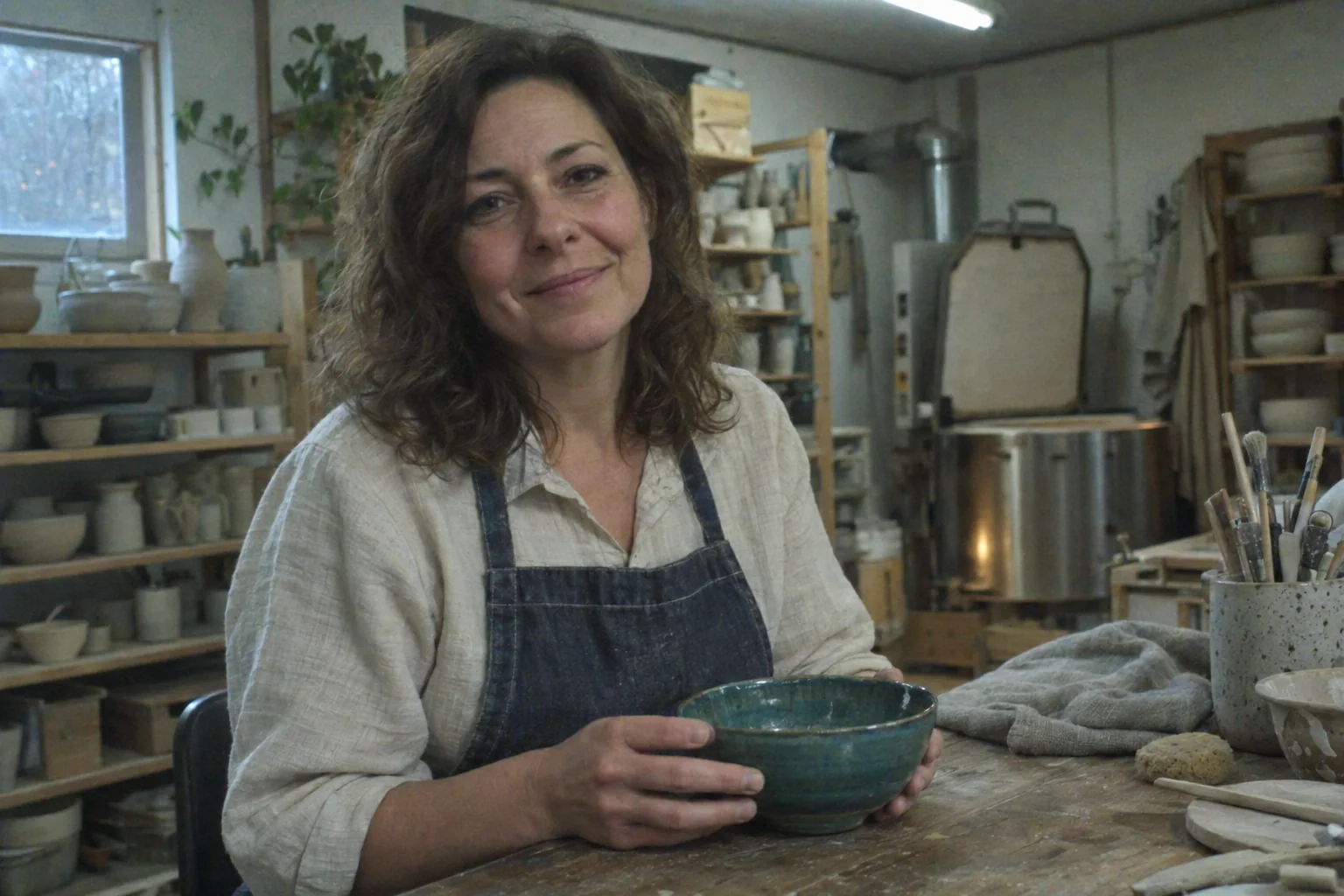
Enhance images online with an AI image enhancer that improves clarity, lighting, color, and fine detail in one simple edit. The AI Image Editor reduces blur, noise, and compression artifacts while preserving natural faces, skin tones, and textures. Use the AI image enhancer for old photos, portraits, product images, and everyday shots that need sharper, cleaner, high-quality results.

  • One-click clarity, color, and detail enhancement
  • Natural faces and textures without oversmoothing
Enhanced ceramic artist portrait with natural skin tone, clear hair, fabric, pottery, and workshop detail
Noisy low-light portrait of a ceramic artist with muted color and soft detail before AI enhancement
Drag left or right to compare images. Use the arrow keys for fine adjustments, or Home and End to reveal either image.

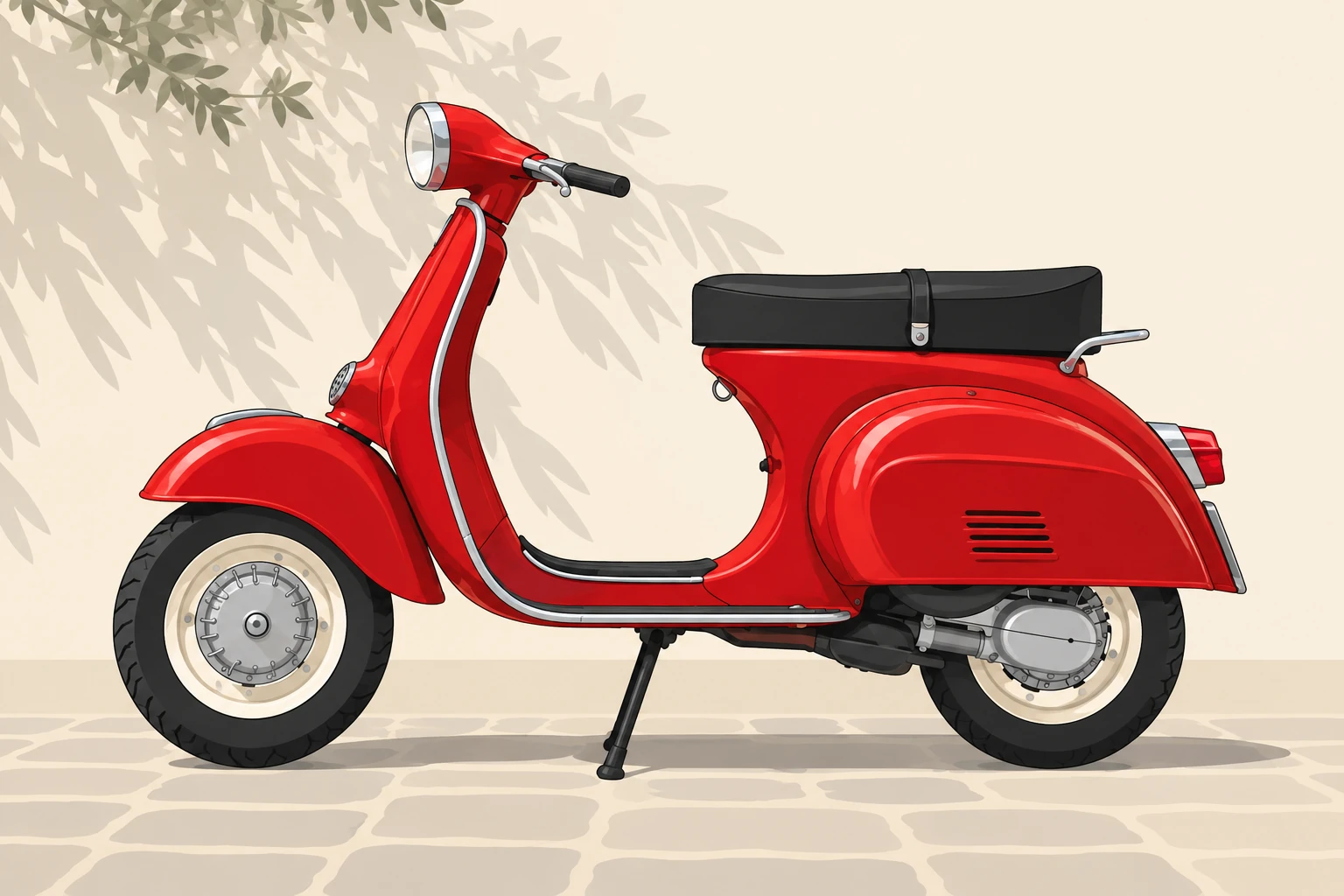
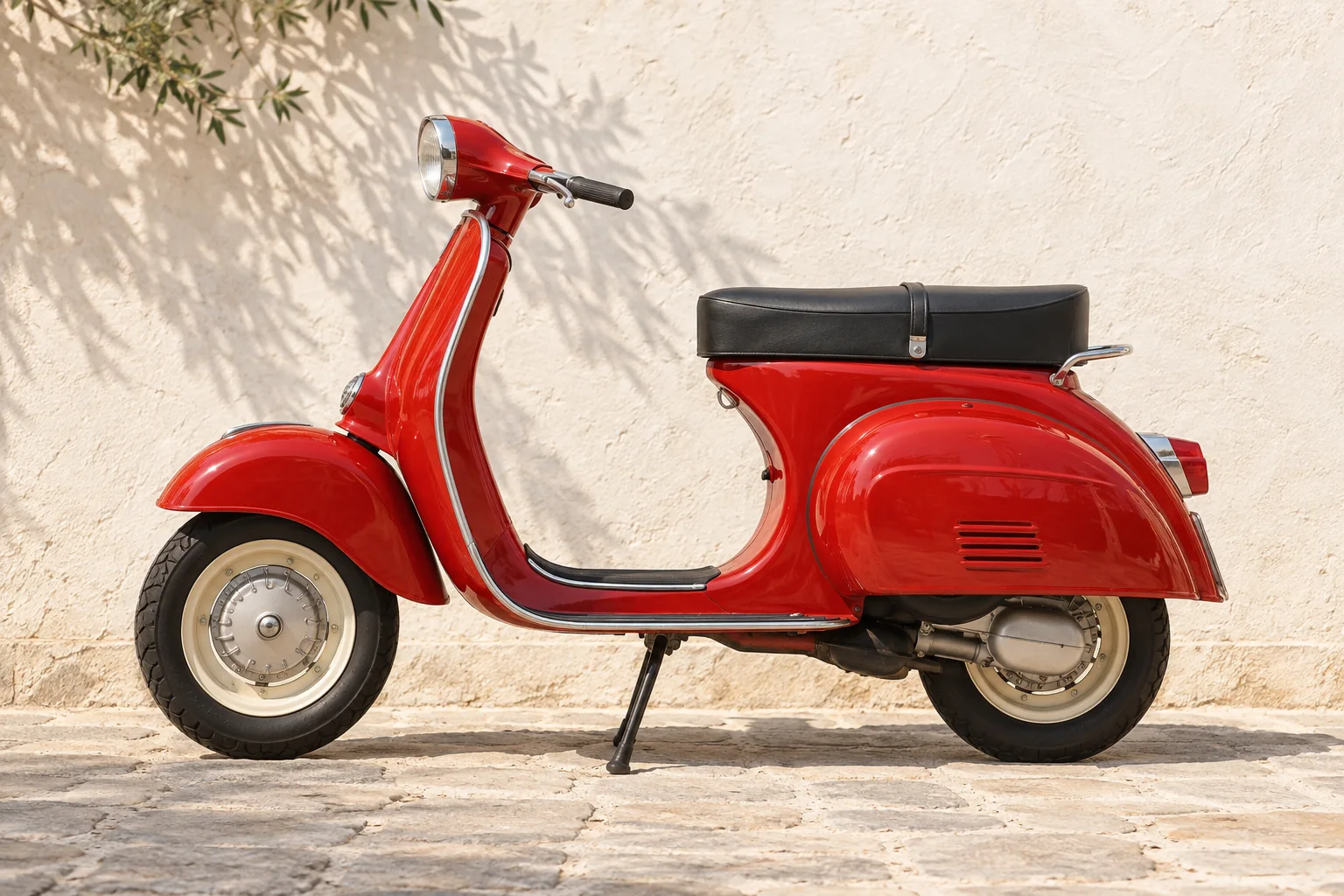
Vectorize Image / Image to SVG

Vectorize image files online with an AI Image Editor that turns photos, logos, icons, and sketches into clean, scalable artwork. Use the vectorize image workflow to simplify colors, sharpen outlines, and preserve recognizable details for SVG-style graphics. Create polished assets for branding, print, web design, stickers, and presentations without manually tracing every path.

  • Clean edges and simplified color shapes
  • SVG-style artwork for logos and illustrations
Red vintage scooter converted into clean outlined SVG-style vector artwork
Photorealistic red vintage scooter before conversion to SVG-style vector artwork
Drag left or right to compare images. Use the arrow keys for fine adjustments, or Home and End to reveal either image.

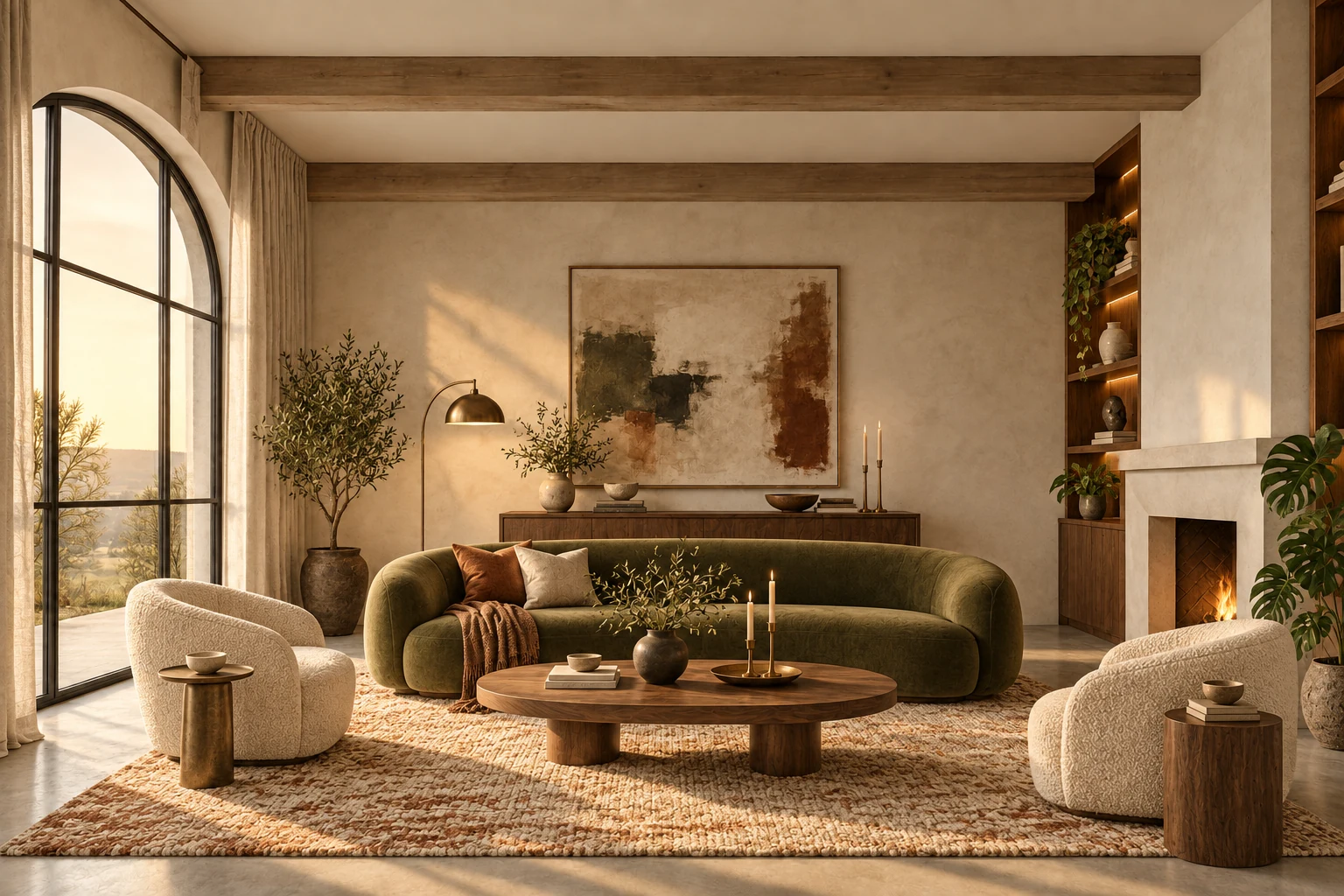
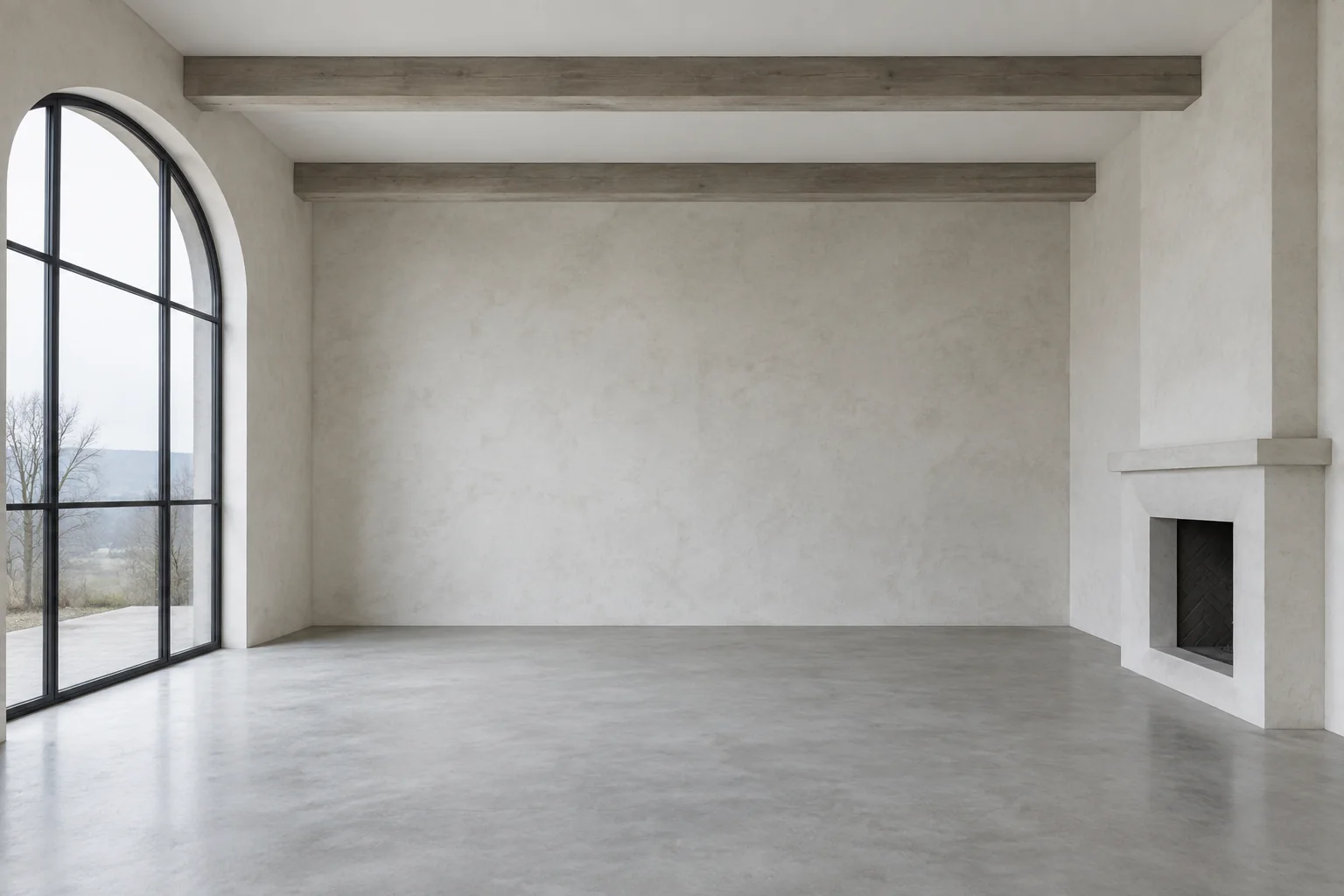
Image to Image with AI Image Editor

Transform one visual into another with an image to image workflow that follows your reference and creative direction. Upload a photo, sketch, or existing design, then use the AI Image Editor to change its style, mood, materials, colors, or level of detail. The image to image tool can preserve the original composition and recognizable features while creating polished concepts for products, interiors, illustrations, and creative campaigns.

  • Preserve composition and recognizable details
  • Create new styles from photos and sketches
Warm furnished biophilic living room after an image to image transformation with AI Image Editor
Empty unfinished living room before an image to image interior transformation
Drag left or right to compare images. Use the arrow keys for fine adjustments, or Home and End to reveal either image.

AI Image Extender (Outpainting)

Expand photos beyond their original borders with an AI image extender built for seamless outpainting. The AI Image Editor analyzes composition, lighting, perspective, and texture, then generates new scenery that blends naturally with the source. Use the AI image extender to widen portraits for landscape banners, adapt square product photos to social formats, or add space around travel images for websites, ads, presentations, and print.

  • Seamless AI outpainting beyond image borders
  • Flexible aspect ratios for every layout
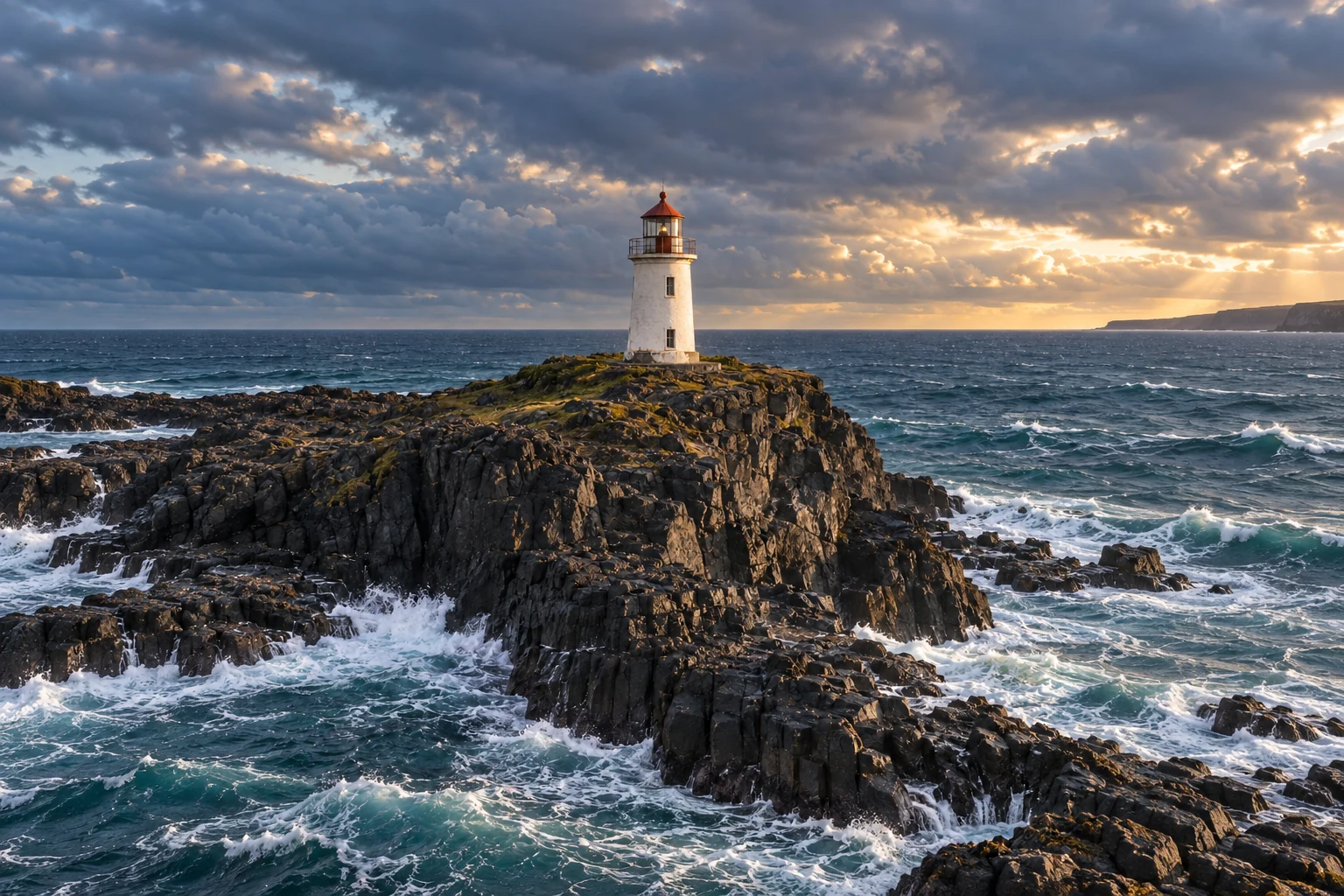
Wide coastal lighthouse scene seamlessly outpainted with AI Image Editor
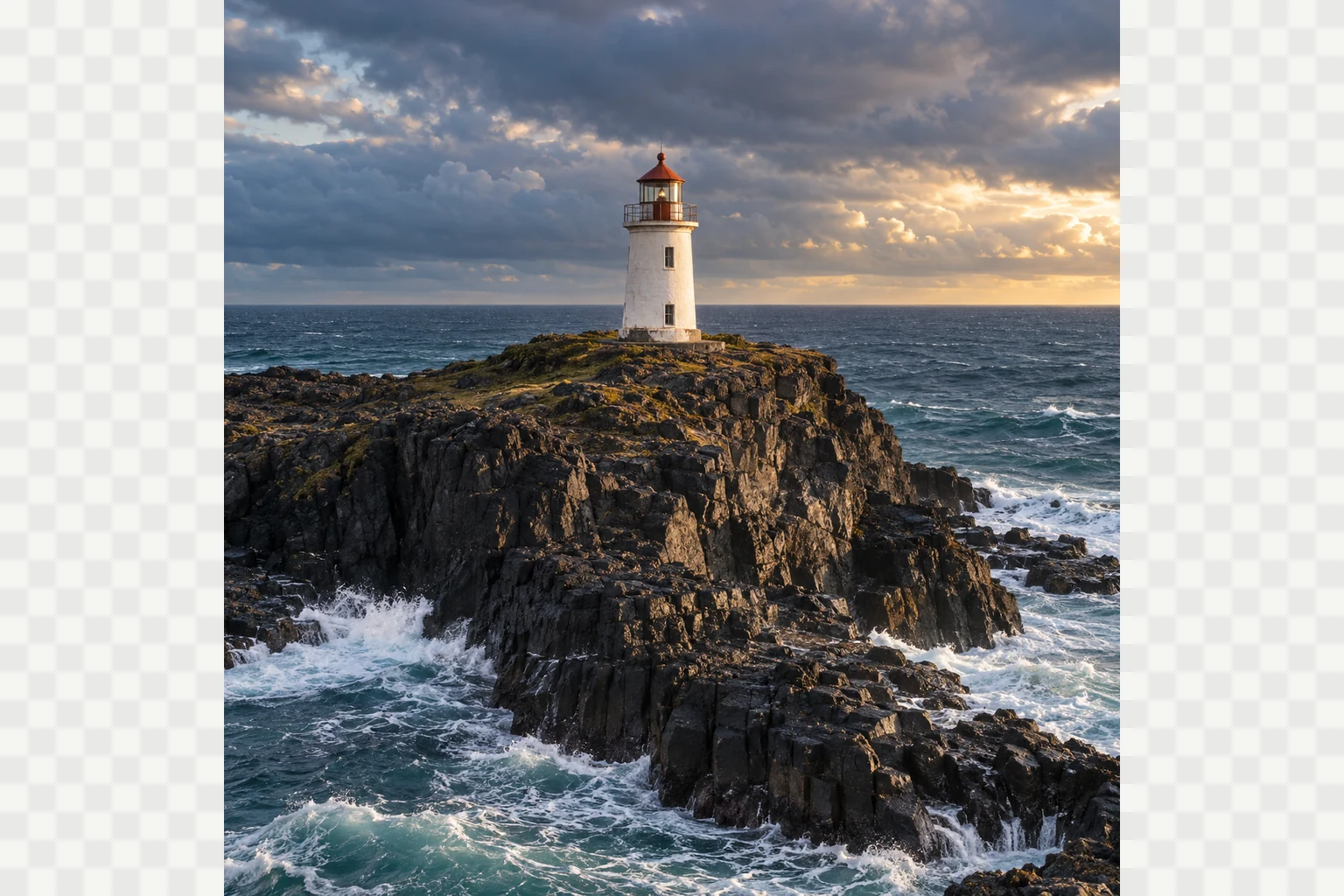
Square coastal lighthouse photo before using an AI image extender to outpaint the side borders
Drag left or right to compare images. Use the arrow keys for fine adjustments, or Home and End to reveal either image.

Real-World Use Cases for the Free AI Image Editor

Create stronger visuals for e-commerce, graphic design, social media, and marketing with practical AI-assisted workflows.

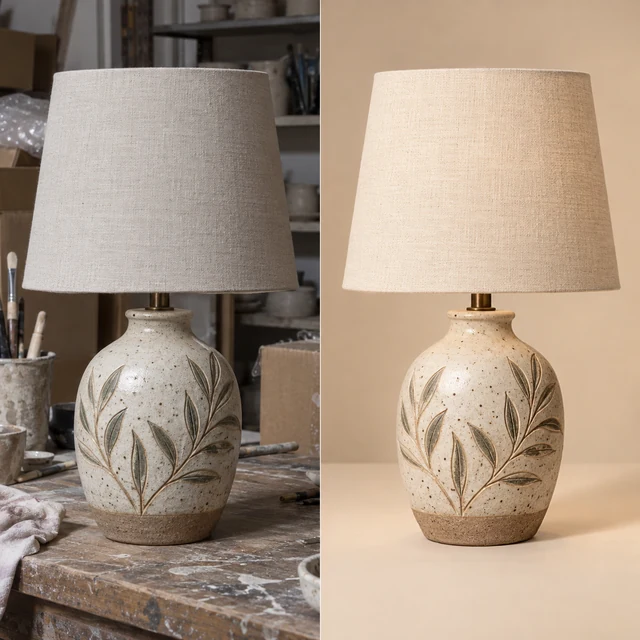
Ceramic lamp transformed from a cluttered workshop photo into a polished e-commerce product image

E-commerce Product Images with AI Image Editor

Turn everyday seller photos into clean, conversion-ready product visuals. Remove workshop clutter, refine lighting and color, sharpen material details, and build a consistent studio look for marketplaces, online stores, and growing product catalogs.
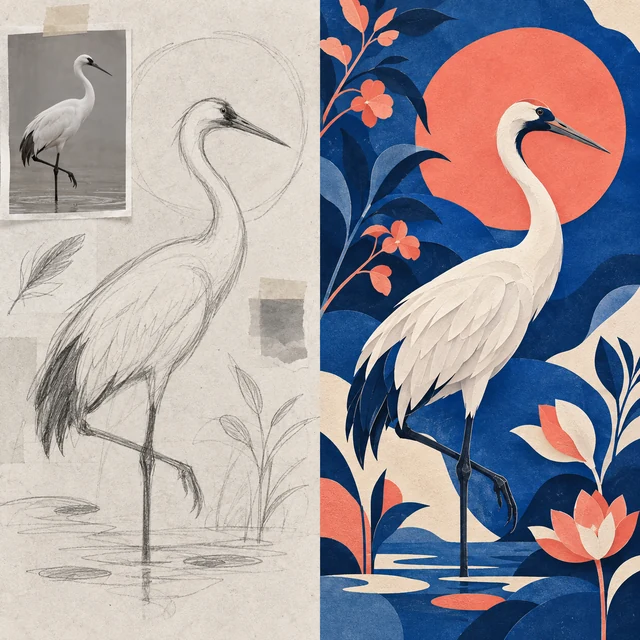
Crane concept sketch transformed into a polished contemporary graphic artwork

Graphic Design & Artistic Image Creation

Use the AI Image Editor to develop a rough composition, reference photo, or simple concept into finished visual art. Explore color systems, layered textures, illustration styles, and balanced compositions for posters, covers, presentations, and original creative projects.

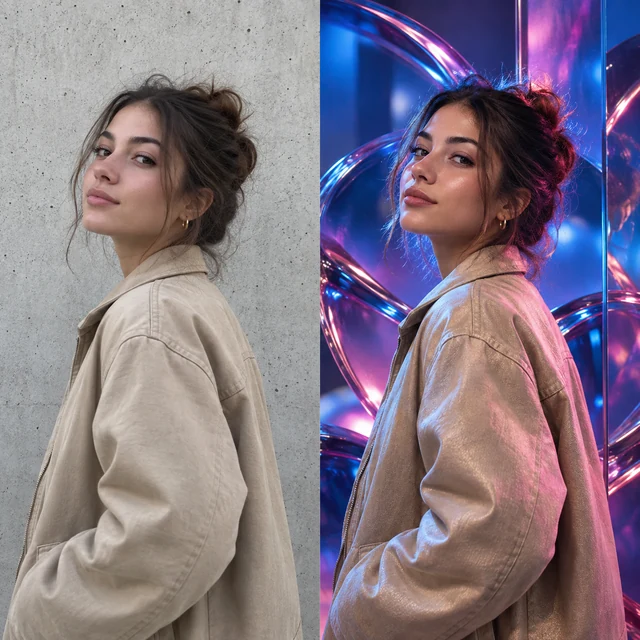
Casual fashion portrait transformed into vivid social media campaign content

Social Media Content with Image-to-Image

Transform one source photo into fresh, scroll-stopping visual directions while preserving the subject and core composition. The AI Image Editor helps creators test new lighting, environments, moods, and art direction for posts, thumbnails, stories, and recurring content series.

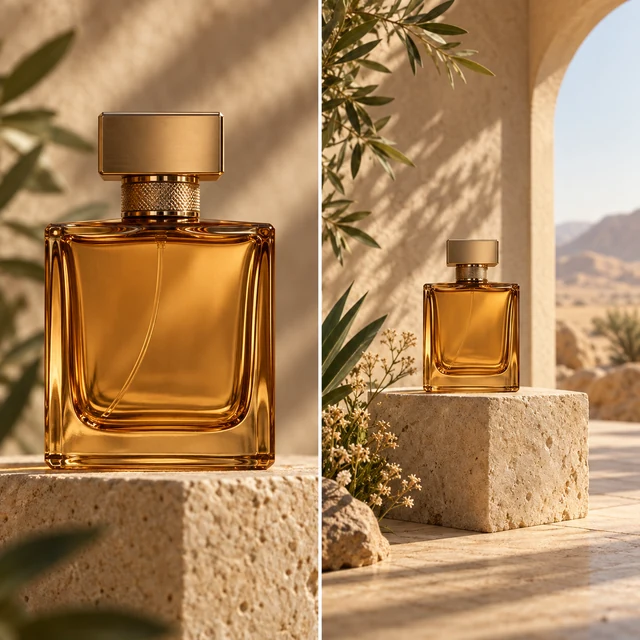
Perfume product photo expanded into a spacious marketing campaign scene

Marketing Campaign Assets with AI Image Editor

Expand tight product shots into spacious campaign scenes with room for headlines, offers, and calls to action. Adapt the same approved visual for landing pages, display ads, email banners, and launch materials while keeping lighting, perspective, and product details consistent.

How to Use Our Free AI Image Editor

  1. Upload Your Image

    Add one to five JPG, PNG, or WebP files, up to 24 MB each. The AI Picture Editor prepares them for enhancement, cleanup, composition changes, and multi-image work.

  2. Describe the Edit in the AI Image Editor

    Write a clear instruction, such as replace the background, transform the style, extend the canvas, or sharpen detail. Add colors, mood, and composition when they matter.

  3. Choose Settings, Generate, and Download

    Select a model, aspect ratio, and available output resolution, then generate your result. Review it in the AI Image Editor and download the finished image.

Real User Reviews About Our Free AI Image Editor Online

Feedback from creators, sellers, photographers, and everyday users who rely on our AI Image Editor for polished images without a complicated workflow.

I use the AI Image Editor to separate products from uneven backgrounds and keep fine edges around glass, straps, and packaging. New catalog batches look consistent without sending every image through a long manual cleanup.
Marketplace manager profile portrait
Marketplace managerCatalog cutouts
ArtDo sharpens soft portrait details without flattening skin or changing the expression I captured. That gives editors a clean preview quickly while I keep the full-resolution originals for final retouching.
Editorial photographer profile portrait
Editorial photographerPortrait enhancement
The AI Image Editor turns simple artwork into cleaner vector-ready shapes much faster than tracing every curve by hand. I still refine the final paths, but the first usable version arrives in minutes.
Vector illustrator profile portrait
Vector illustratorLogo vectorization
I can turn one approved image into several social concepts without rebuilding the composition each time. The workflow helps me test crops, colors, and visual directions while keeping the campaign recognizable.
Social media producer profile portrait
Social media producerContent variations
When I need to explore a scene before committing hours to painting, the AI Image Editor gives me useful image-to-image variations. I can compare lighting, mood, and composition, then develop the strongest direction.
Concept artist profile portrait
Concept artistImage-to-image concepts
The restoration tools help our volunteer team bring faded community photographs back to life with restrained color and clearer faces. The results still feel historical, so families recognize the people and places rather than an overprocessed remake.
Archive volunteer profile portrait
Archive volunteerPhoto colorization
The AI Image Editor removes cables, reflections, and temporary furniture from interior shots while preserving straight lines and surface texture. I spend less time patching walls and floors before delivering a property set.
Interior photographer profile portrait
Interior photographerObject cleanup
Low-resolution client artwork often arrives just before a print deadline. The upscaling tools give me a cleaner, larger working file with sharper type edges and textures, making poster proofs far more dependable.
Print designer profile portrait
Print designerLarge-format exports
The AI Image Editor lets me extend narrow source images into wider concept frames without obvious seams. It is especially useful when a presentation suddenly needs the same visual in landscape, banner, and widescreen formats.
Creative technologist profile portrait
Creative technologistScene outpainting

AI Image Editor FAQ

Everything you need to know before making your first free online edit.

Is the AI Image Editor free to use without signing up?

Yes. You can open the editor, upload a photo, and start supported edits without creating an account or entering payment details. Each model's current credit cost appears before generation, and optional plans or one-time Credit Packs are available when you want more usage and longer storage.

What can I edit with the AI Image Editor?

You can enhance image quality, remove unwanted objects, replace backgrounds, vectorize images into SVG-style artwork, create image-to-image variations, and extend scenes with AI outpainting. The editor also supports guided multi-image workflows when the selected model accepts multiple references.

How many images can I upload, and which formats are supported?

You can upload as many as five JPG, PNG, or WebP images, with a maximum size of 24 MB per file. The number of references a generation can use depends on the selected model and edit type.

Which AI models support high-resolution and 4K editing?

The AI Image Editor offers ArtDo 1.0, Nano Banana models, Seedream models, and GPT Image 2, subject to current availability. Resolution options vary by model and aspect ratio, with supported workflows offering output up to 4K. Available settings and credit costs are shown before you generate.

Does the AI Image Editor add a watermark, and can I use the result commercially?

ArtDo does not add a watermark to completed downloads. We do not claim ownership of your output, but commercial use depends on your rights to the uploaded images, applicable law, third-party rights, and the selected model provider's terms. Review every result and the Terms of Service before publishing it.

How are uploaded images protected and stored?

When you use the AI Image Editor, the reference images, prompt, and settings needed for the edit are sent to the configured AI processing service. ArtDo uses encrypted transport, private object storage, and short-lived download links. Guest results are retained for up to 24 hours; signed-in retention depends on the account plan, and manually deleted creations enter the deletion queue.

Bring every image idea to life.

Enhance, transform, and refine images online with the AI Image Editor.

Edit a Image for free